
Walking into any electronics store or browsing online, you’ll find smartwatch options from $50 to over $1,000. If you’re just starting a fitness journey, that range is less “helpful variety” and more “paralyzing decision.” I’ve been there—staring at specs sheets, wondering if spending triple the money actually matters when you can’t yet tell the difference between a VO2 max and your phone’s step counter.
Here’s the truth: the best smartwatch for fitness beginners combines health tracking that actually works, controls that don’t require a PhD to figure out, and a price that won’t make you wince. This guide cuts through the marketing noise and covers what actually helps new fitness enthusiasts stick with their goals.
What Makes a Smartwatch Good for Fitness Beginners
Forget everything you’ve heard about needing professional-grade metrics. When you’re starting out, you need reliable basics that help build habits without drowning you in data you can’t interpret yet.
Here’s what actually matters:
- Heart rate monitoring – accurate enough to tell you if you’re working hard or hardly working
- Step counting – simple, satisfying, works as a baseline activity measure
- Basic workout tracking – at minimum, modes for walking, running, and strength training
- Sleep tracking – because recovery starts at night, not in the gym
- Water resistance – pool workouts, rain, washing dishes—your watch should survive real life
- Smartphone notifications – useful but don’t need to be overwhelming
Battery life deserves more attention than it usually gets. A watch begging for a charge every night becomes a friction point, and friction kills habits fast. Look for at least two days between charges. The best beginner options give you a full week or more.
Comfort gets overlooked but matters enormously. A bulky watch that digs into your wrist or slides around during burpees becomes an excuse to leave it in a drawer. Lightweight designs with breathable bands disappear on your wrist—and that’s exactly what you want for tracking those resting heart rate and sleep numbers that only work when you wear the thing consistently.
Understanding Your Fitness Goals
Your goals should drive which watch you pick. A $300 feature-packed model wastes money if you only need step counting, while a basic band frustrates runners who want GPS without their phone.
Moving more is your goal? Basic models with step tracking and movement reminders work great. These watches nudge you when you’ve been sitting too long and celebrate when you hit daily activity targets. Perfect if you’re returning to activity after years of desk work or just want to build more movement into everyday life.
Running or walking is your thing? GPS matters. You can use your phone, but a watch with built-in GPS stays secure on your wrist and frees up your pockets. Many beginners start walking and progress to running—so having GPS from day one saves an upgrade later.
Strength training is your focus? Look for watches that track reps or at least let you log exercises easily. Some models auto-recognize common movements. Just make sure your watch doesn’t count arm swings between sets as steps—it’s annoying to see your “rest day” show 5,000 steps.
Overall health improvement? Sleep tracking, stress monitoring, and recovery suggestions become valuable. These features reveal how sleep and stress affect your energy and workouts—something beginners often ignore until they burn out.
Top Smartwatch Picks for Fitness Beginners
Apple Watch SE (2nd Generation)
If you live in Apple’s world, the SE hits the sweet spot between price and capability. You get the core health sensors—heart rate, sleep tracking, fall detection—without paying for features most people never use. Swim-proof design handles pool sessions and rainy commutes without drama.
The interface feels natural if you already use an iPhone. You’ll navigate confidently within minutes, not after reading a manual. The Activity rings create that satisfying visual of closing your circles every day, which sounds silly but genuinely helps build consistency. Notifications, apps, and Siri all work smoothly together.
The tradeoff is battery life. You’ll charge most nights—about 18 hours of use. This actually works fine for sleep tracking since you top up while showering and getting ready. The always-on display from pricier Apple Watches isn’t here, which saves both battery and money.
At around $250, it’s not cheap, but you’re getting premium fitness features without the premium price. This isn’t a watch you’ll outgrow in six months.
Samsung Galaxy Watch FE
Android users get a solid option here. The Galaxy Watch FE tracks over 100 workout types, automatically recognizes common exercises, and gives detailed post-workout stats. Samsung’s Health app includes sleep tracking and body composition measurements—features you usually see in much more expensive watches.
The rotating bezel deserves mention. Scrolling through menus with a physical ring feels precise and satisfying, especially during workouts when touchscreen navigation gets frustrating with sweaty fingers. The watch feels substantial without being heavy, and the silicone band stays comfortable through long wear sessions.
The personalized heart rate zones stand out for beginners. Instead of generic percentage ranges, the watch learns your fitness level and adjusts intensity recommendations over time. No manual calculations, no wondering if you’re working hard enough—it just tells you.
Battery runs about two days with the always-on display active. Turning that off extends it significantly. Full charge takes under two hours.
Garmin Forerunner 55
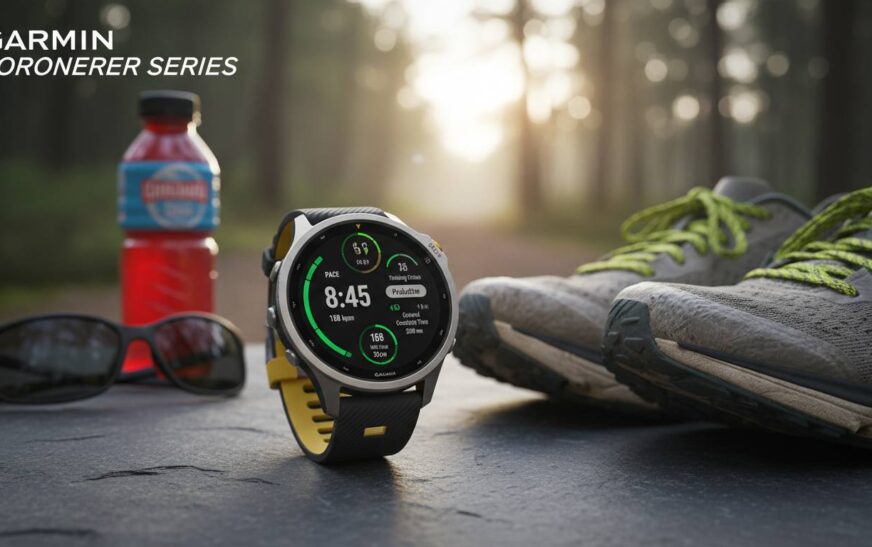
Garmin makes fitness watches, and the Forerunner 55 shows exactly why that matters. It skips the app store and music storage found in fancier watches, but what it does, it does exceptionally well. The focus stays entirely on fitness metrics, presented clearly without overwhelm.
The daily suggested workouts feature makes this special. You don’t wonder what to do—Garmin recommends workouts based on your current fitness and recovery. This removes the intimidation of planning and helps build consistent training habits. PacePro guides your running pace throughout courses, teaching you to hold even splits without constantly checking your watch.
Recovery time suggestions answer the question beginners ask constantly: “Am I ready to workout again?” Many new exercisers push hard on tired bodies and wonder why progress stalls. Garmin’s algorithm analyzes recent activity and tells you when you’ve recovered enough. This single feature prevents a lot of burnout and injury.
Battery life reaches two weeks in smartwatch mode and about 20 hours in GPS mode. You practically forget about charging, which helps wearing the watch become automatic. GPS acquisition happens quickly—you’re not standing around waiting to start your run.
Fitbit Inspire 3
Budget-conscious beginners get real value here. The Inspire 3 strips away complexity and delivers accurate step counting, heart rate monitoring, sleep tracking, and 20+ exercise modes. The slim, lightweight design practically vanishes on your wrist—comfortable enough to wear 24/7, which is essential for the sleep and resting heart rate tracking that makes this useful.
Fitbit’s app ecosystem deserves credit. Data appears in digestible formats with trends and insights that help you see progress over time. The app celebrates milestones and offers encouragement without drowning you in numbers. Active zone minutes reward exercising in elevated heart rate zones—clear motivation to push appropriately without overdoing it.
Battery life genuinely impresses: up to 10 days between charges. When charging isn’t something you think about, wearing the watch becomes automatic. That’s exactly what builds lasting habits.
Limitations exist. No onboard GPS means your phone must come along for distance tracking. Notifications work but stay basic compared to Apple or Samsung. For pure fitness tracking without smartphone complexity, the Inspire 3 covers exactly what beginners need at a fraction of the cost.
Amazfit Band 7
Another budget option worth considering. The Band 7 crams impressive features into an affordable package, with battery regularly exceeding two weeks—sometimes approaching three with light use. That rivals watches costing three times as much.
Health tracking includes 24/7 heart rate, blood oxygen, stress, and sleep analysis. The Zepp app displays everything clearly, though the interface feels less polished than Fitbit or Garmin. Accuracy holds up well against pricier competitors, making this a strong value proposition.
Built-in GPS appears here, which is rare at this price. You can track runs and walks without your phone—a feature many budget options skip. Music control and smartphone notifications add smartwatch functionality without the premium markup.
Build quality shows some cost savings. The screen struggles in direct sunlight, and the band feels less premium. But for beginners focused purely on fitness tracking, these trade-offs make sense. You’re paying for function over form.
Price Comparison and Value Analysis
Understanding where your money goes helps decide whether to spend more or save.
Budget ($50-100): Steps, basic heart rate, simple workout modes. Works if you know you’ll use the basics and want to establish habits before investing. Risk: accuracy issues and durability frustrations.
Mid-range ($150-300): The sweet spot for most people. Better accuracy, longer battery, comprehensive features that last for years. You won’t outgrow these quickly, making the investment worthwhile.
Premium ($300+): Always-on displays, premium materials, cellular, advanced sensors. Most beginners don’t need these initially. Worth it later if you fall in love with tracking and want the best experience.
Consider your commitment level. Exploring exercise? Start budget and upgrade later. Ready to commit? Mid-range serves you better long-term.
Tips for Getting Started with Your New Smartwatch
A fitness smartwatch only helps if you actually wear it. These tips help maximize your investment from day one.
Wear it consistently for a week before obsessing over metrics. Adjust to the weight, learn basic navigation, let the watch learn your patterns. Baseline measurements improve once it has context. This habit phase matters more than early data.
Set realistic goals from the start. Aggressive targets lead to disappointment and abandonment. Start achievable and increase gradually as consistency builds. Small wins regularly build better momentum than occasional huge achievements.
Explore features during your first month. Many users never discover half their watch’s capabilities. Dig into menus, try settings, learn what everything does. You might find unexpectedly useful tools.
Don’t obsess over daily numbers. Progress happens over weeks and months, not individual days. Focus on trends—your watch shows weekly and monthly summaries for exactly that reason. Day-to-day noise obscure real progress.
Common Mistakes Beginners Make
Learning from others’ mistakes saves frustration and money.
Improper fit causes inaccurate tracking. A loose watch slides, throwing off heart rate and step counts. Too tight causes discomfort and circulation issues. Most watches include multiple band holes—use them.
Comparing yourself to others kills motivation. Social media shows curated highlight reels, not realistic journeys. Your path differs from everyone else’s. Use your watch to improve on your own terms.
Overcomplicating metrics leads to analysis paralysis. Tracking everything at once means nothing gets used consistently. Start with two or three metrics that matter to you, add more once those become habits.
Neglecting rest days slows progress. Seeing lower numbers on recovery days feels like failure—it isn’t. Understanding that rest is part of fitness helps you appreciate rest days rather than feeling guilty.
How to Choose Based on Your Device Ecosystem
Your existing smartphone brand heavily influences which smartwatch makes sense. Ecosystem integration affects setup, notifications, and overall experience.
Apple Watch works best with iPhones. It technically functions with Android but loses most convenience. For iPhone users, the experience stays seamless regardless of model.
Samsung Galaxy Watch integrates most fully with Samsung phones but works reasonably well with other Android brands—just with slightly reduced functionality. Best Android fitness experience overall.
Garmin works equally well with iPhone and Android. Since they focus on fitness over smartphone integration, ecosystem mismatch costs you nothing. Excellent choice for Android users prioritizing fitness tracking.
Fitbit functions across platforms, though some features work better with Android. Google ownership continues improving cross-platform compatibility.
Conclusion
The best smartwatch for fitness beginners depends on your needs, budget, and existing tech. Apple Watch SE offers unmatched simplicity for iPhone users. Samsung Galaxy Watch FE delivers comprehensive Android value. Garmin Forerunner 55 provides professional guidance for dedicated beginners. Fitbit Inspire 3 and Amazfit Band 7 prove essential tracking doesn’t require premium prices.
Start with a model matching your current fitness level and goals. You can always upgrade later. The best watch is the one you’ll actually wear consistently—helping build habits that lead to lasting health improvements. Focus on establishing routine first, then explore advanced features as your journey progresses.
Remember: any smartwatch is just a tool. Your commitment to moving more matters far more than which watch you wear. Use your device to support and motivate your efforts, not as a substitute for actually working out. The right watch makes the journey more enjoyable and insightful, but the work remains yours to do.
FAQs
What’s the most important feature for a fitness beginner in a smartwatch?
Heart rate monitoring and step counting form the foundation. These metrics help you understand activity levels and exercise intensity without advanced data overwhelm. Prioritize sensor accuracy over marketing claims.
Do I need GPS in my first fitness smartwatch?
Built-in GPS adds convenience but raises cost. If you walk or run outdoors, GPS makes tracking distance much easier. However, your phone works as an alternative for workout tracking without the extra expense.
How long should battery life be for a fitness beginner?
Aim for at least two days between charges to avoid daily charging friction. Better options provide a week or more, helping establish consistent wearing habits. Longer battery means less thinking about charging and more focus on fitness.
Should beginners choose Apple, Samsung, or Garmin?
Let your smartphone ecosystem decide. iPhone users benefit most from Apple Watch. Android users typically prefer Samsung or Garmin. Garmin works equally well with either platform if fitness features outweigh smartwatch apps.
Is it worth buying an expensive smartwatch as a beginner?
Most beginners don’t need premium features immediately. Starting mid-range lets you discover which features you actually use before investing heavily. Upgrade later once you understand your specific needs.
How do I know if my smartwatch fits properly?
Your watch should sit snugly enough for sensors to maintain contact but not so tight that it leaves marks or causes discomfort. You should slide a finger under the band comfortably. Test the fit during various activities to ensure it stays secure during movement.